
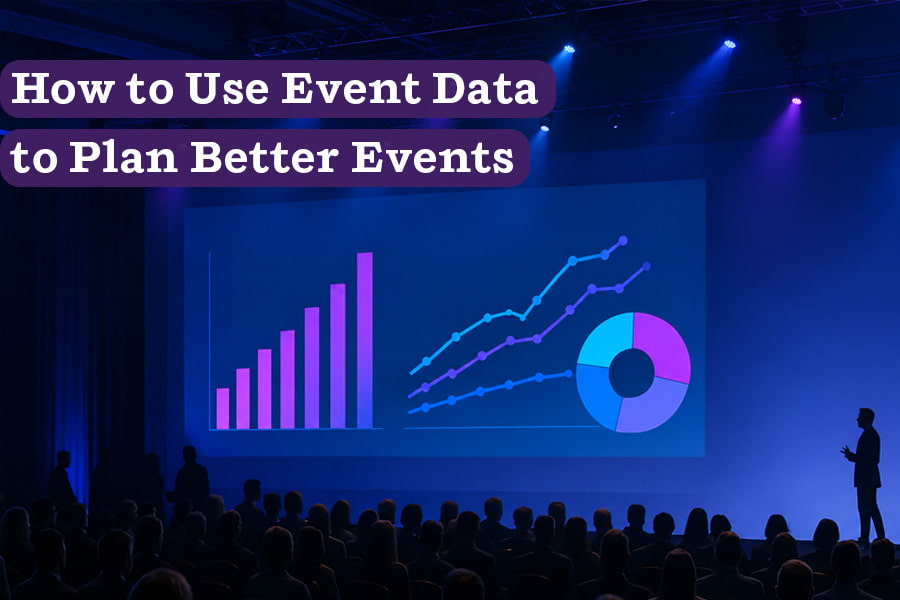
Event data helps planners understand what their audience needs, how guests actually experience the event, and whether the program accomplished what it was built to do. Registration patterns, attendance, movement, feedback, and post-event results can expose problems early, guide better decisions, and show what should change next time. The goal is not to track everything. It is to replace assumptions with information the team can act on.
Events produce a lot of data.
Every registration, check-in, session scan, survey response, badge tap, bar sale, and follow-up click adds another piece to the record. Some teams collect those numbers, report the attendance, file everything away, and move on to the next event.
That uses only a fraction of what the event has already told them.
Registration trends, session attendance, survey responses, sponsor results, and operational notes can all shape what happens next. They can help planners forecast turnout more accurately, assign the right rooms, adjust the agenda, rethink the floor plan, and avoid repeating problems at the next event.
The value also does not always have to wait until the next event.
As registrations come in, session demand may show that a breakout needs a larger room. Once the doors open, arrival times can help the team adjust staffing before a line gets worse. Foot traffic may reveal that guests are missing a sponsor activation, while live feedback can flag a room, session, or service issue that still has time to be addressed.
Some of that data points the way forward. Some gives the team a chance to make the event better before it ends.
Data-driven event design starts there: paying closer attention to the information an event already produces, asking what it reveals, and using the answer to improve the experience.
Here are six ways to put that information to use for stronger events and improved guest experiences.
1. Choose Metrics That Match the Goal
Most event recaps lead with attendance. Fair enough. It is easy to understand, and it is often one of the first numbers leadership wants to see.
But attendance alone cannot tell you the whole story. It will not show if guests found the program useful, sponsors met the right people, donors felt closer to the cause, or customers left with a stronger reason to keep working with you.
Trying to track every available metric creates a different set of problems: a report full of numbers with no clear sense of which ones matter. A useful measurement plan starts with the purpose of the event and narrows the focus to the indicators that can help show whether it succeeded.
Decide what success should look like while the event is still being planned. Pick two or three outcomes that really matter, then figure out what evidence could help you evaluate them.
For example, a product launch may look to track press appointments, number of product demos, content created on site, and requests for follow-up. A fundraiser will probably care more about things like total donations, but first-time donors and recurring commitments may tell an important part of the story too. At a customer conference, useful measures could include session participation, product adoption, meetings held, or whether key accounts came back.
Those goals give the team a very useful data filter. A metric is really only useful when it helps answer a real question, explain what happened, or shape the next decision. Everything else can remain in the background.
Put the Data to Work
- Signal: The team is tracking plenty of activity but has no shared definition of success.
- Ask: Which outcomes matter most, and what evidence would show whether the event achieved them?
- Act: Choose a small set of metrics tied to those outcomes and document where each one will come from, who owns it, and how it will be used.
2. Turn Registration Data Into Planning Data
Registration numbers are so much more than just a running headcount.
They can show where guests are coming from, which sessions interest them, when they plan to arrive, what accommodations they need, and how they expect to participate. Each of those answers can impact the event before the doors open.
Say 220 attendees select a breakout assigned to a 150-person room. That is not simply an interesting registration statistic. It is an early warning.
The team could move the session, offer it twice, adjust the seating plan, create an overflow option, or ask guests to confirm their selection as the event gets closer. Waiting until a line forms outside the door leaves fewer good choices and typically leads to a subpar experience for your attendees.
Other event formats create their own signals:
- A company celebration may have most guests planning to arrive within the same 30-minute window.
- A gala may receive more dietary requests than the original service plan accounted for.
- A fundraiser may be drawing far more first-time guests than returning donors.
- A product reveal may see media registrations climb faster than customer attendance.
- Accessibility requests may require changes to seating, routes, signage, or communication.
Registration data only helps if the team reviews it while there is still time to respond. Set a few checkpoints leading up to the event and share meaningful changes with the venue, caterer, production team, and staffing partners early and often.
Put the Data to Work
- Signal: Advance registrations, session selections, or guest requests do not match the original plan.
- Ask: Does the venue, layout, staffing plan, or agenda still support the audience now expected?
- Act: Review registration data at scheduled checkpoints and resolve capacity or service conflicts before final plans are locked.
3. Watch How Guests Actually Use the Room
 A floor plan shows how an event is expected to work. Guest behavior shows how it actually works.
Your designated main entrance may not be the entrance guests naturally want to use. One bar may develop a long line while another sits quiet. A lounge intended for brief conversations may become the most popular part of the venue. A sponsor installation may look prominent on the floor plan but disappear once the room fills.
RFID systems, badge scans, heat maps, and event apps can help identify these patterns. So can an experienced team walking the floor.
If an important part of the event is receiving less traffic than expected, start by asking why.
Can guests see it? Does the agenda give them enough time to explore? Is the route intuitive? Is there anything in that part of the room that gives them a reason to go there?
Those patterns can become a working brief for the next version of the event. Choke points may change where check-in, bars, or popular activations are placed. An unplanned gathering spot may deserve more seating and breathing room. A consistently quiet area may need a new purpose or may not belong in the event footprint at all. The next floor plan can then reflect how guests actually used the space.
Also, not every adjustment needs to wait until the next event. Portable signs, stanchions, furniture, staff positions, and service points can easily be moved during the program to at least help alleviate some of the above issues if you catch them early.
One analysis of show-floor traffic found that education stages, dining areas, and smaller food stations could pull attendees deeper into an expo hall. That gives planners more to work with than traffic counts alone. If an area is being missed, another arrow on a sign may not be enough. Give guests a reason to make the trip.
Put the Data to Work
- Signal: Lines, crowding, empty areas, or missed activations show that guests are not using the room as expected.
- Ask: Is the problem visibility, access, timing, capacity, or a lack of reason to visit?
- Act: Make the safest practical adjustment on site, then document any larger layout change needed for the next event.
4. Use Timing Data to Improve the Run of Show
 How quickly will guests arrive? How long will dinner service take? Will people move into the next room when expected? At what point will the audience be ready for a reveal, auction, speech, or performance?
You can have the best planning in the world, and your guests will still find ways to surprise you come event time. What matters is how you choose to respond.
Production timestamps, check-in records, catering notes, bar sales, session scans, and observations from the floor can help reconstruct how the schedule really played out. Look at them together. A late start may appear to be a programming problem when slow entry, coat check, or dinner service was the actual cause.
PCMA and Steelcase reached a similar conclusion after interviewing attendees and watching how they navigated a live conference. Varied session lengths created some confusion, while less structured time gave guests more room to connect and learn from one another.
If a large share of the audience is still checking in when the welcome begins, the next event may need an earlier door time, more help at the entrance, or a later start to the main program. If participation drops off later in the evening, the appeal may belong earlier in the run of show. If guests crowd into a demonstration all at once, future versions may need staggered viewing times.
Timing data can also help during the event. A delayed meal service may require a later speech. A fast-moving reception may give the team room to begin the next part of the program sooner. But be careful. Any live change still needs to move through the planner, venue, production, catering, and other affected teams to avoid creating an avalanche of timing headaches.
Put the Data to Work
- Signal: Guests are not ready when key moments begin, transitions run long, or energy drops at the same point in the program.
- Ask: Which part of the schedule caused the delay or disconnect?
- Act: Record actual timing, identify the source, and adjust the next run of show. When a live change is possible, communicate it across every affected team first.
5. Personalize the Experience Without Overcomplicating It
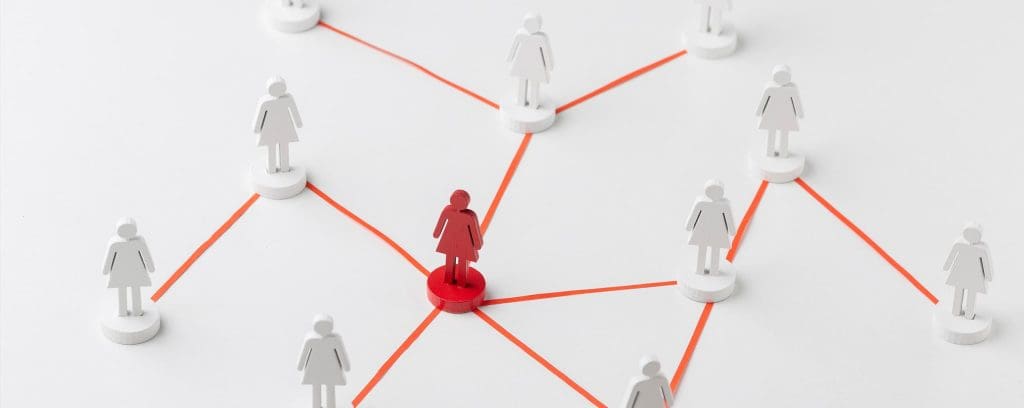 A little personalization can make an event feel far more thoughtful. When a guest receives information, recommendations, or support that fits their needs, it shows that someone paid attention.
Often, the most useful personalization is also the simplest. Information collected during registration can be used to help guests save time, avoid confusion, and find the parts of the event that matter most to them.
A guest taking the shuttle needs different arrival instructions than someone parking on site. Media attending a product launch may need interview times and a direct press contact. A first-time donor may appreciate more context about the cause, while a longtime supporter may want to know what has changed since the last event.
At a large conference, registration interests can help narrow a packed session catalog, giving each attendee a custom itinerary built around the topics they care about. At a brand activation, a guest can be directed toward the product demonstration most relevant to them. At a company gathering, optional introductions or interest-based activities may help newer employees find their footing.
AI is making this easier to manage across larger audiences. It can sort through registration answers, agenda selections, past attendance, and live activity to recommend sessions, connections, or next steps. AI-powered assistants can also answer schedule questions and point guests toward information without requiring the event team to handle every request manually. Our article on how AI is transforming event personalization looks more closely at those tools and how they are already being used.
The technology still needs boundaries. A job title does not explain everything someone wants from an event, and one badge scan should not define the rest of their experience. Give guests useful options, make recommendations easy to ignore if they choose not to follow them, and review any automated output before it goes out to the audience.
Personalization also depends on personal information, and that information needs to be handled carefully. Be clear about what is being collected, why it is needed, who can access it, and how long it will be kept. Registration answers, app activity, location data, and inferred interests can all reveal more about a guest than they may realize. The California Attorney General’s CCPA guidance offers useful context, but any system collecting or processing personal information should also be reviewed by the appropriate legal or privacy team.
A good personalized touch should make the guest’s next decision easier or the experience feel a little more considered. If it adds unnecessary noise with too many notifications, choices, or layers to work through, it is likely doing more harm than good.
Put the Data to Work
- Signal: Different guest groups are receiving the same information even when their needs or reasons for attending vary.
- Ask: Where would a more relevant recommendation, reminder, or introduction make the experience easier or more memorable?
- Act: Choose one or two useful moments to personalize, use information the guest knowingly provided, and review the results before expanding further.
6. Close the Loop After the Event
Once the final guest leaves, the team finally has the full picture.
This is the time to bring together the information collected across registration, ticketing, surveys, event apps, lead capture, donations, sales, media coverage, and notes from the teams on site. Each source only shows one part of the event. Reviewing them together can reveal where the findings support one another, where they conflict, and where the team still needs more context.
Start with the goals and metrics established during planning. Did the event accomplish what it was built to do? Which results are clear? Which ones will take longer to measure?
Post-event surveys can help fill some of those gaps while the experience is still fresh. Keep the questions focused on decisions the team is prepared to revisit. Ask what guests found useful, where they ran into difficulty, what they wanted more time for, and what they would change. A shorter survey that produces usable answers will do more good than a long one built around general satisfaction scores.
Schedule a team debrief soon after the event as well. Bring in the planner, venue, production team, caterer, staffing leads, and any other partners with a useful view of what happened. The goal is to compare notes while the details are still fresh, including the moments that may never appear in a dashboard.
From there, sort the findings into three groups:
- Items that need follow-up now
- Changes that should carry into the next event
- Questions that require more information before anyone acts
Once the immediate findings have owners, the deeper report can follow. The Events Industry Council offers a Post-Event Report template designed to create a consistent event history.
A useful report should explain what happened, how the results compared with the original goals, what the team learned, and what should happen next. Give each major recommendation an owner and a destination. One finding may belong in the next budget. Another may need to appear in the venue RFP, floor plan, staffing plan, or run of show.
That is how event data keeps its value after the reporting period ends.
Put the Data to Work
- Signal: The event has ended, but useful information remains scattered across platforms, reports, and different members of the team.
- Ask: What requires action now, what should change next time, and what still needs more context?
- Act: Consolidate the data, hold the debrief, complete the immediate follow-up, and assign each major lesson to a person and a future planning document.
TL;DR: Better Data Creates a Clearer Picture
Useful event data should follow the event from the first registration through the final debrief.
Early in the process, it helps the team decide what success should look like and which results are worth tracking. As registration develops, it can expose changes in attendance, guest needs, and areas of interest while there is still time to respond. Once the event is underway, movement, timing, and feedback show how the plan holds up once real people enter the room.
The work continues after the event. Bring the information together, compare it with the original goals, and talk with the teams who saw the event from different angles. Then give the strongest findings somewhere to go. A recurring entrance backup belongs in the next access and staffing plan. An underused room should influence the floor plan. Confusion around the schedule needs to reach the next round of guest communications.
Those lessons can also improve personalization, follow-up, and the way success is reported to clients, leadership, sponsors, or donors. Throughout the process, keep the collection focused and handle personal information with care.
The next venue conversation is a natural place to put that knowledge to work. Past attendance, arrival patterns, service demands, production needs, accessibility requests, and guest-flow challenges can all affect which space fits and how it should be used. Include that context when you write your venue RFP or begin speaking with potential venues.
When you bring your next event to NPU, bring what you have learned along with it. Our teams can help you match those needs to a flexible event venue in San Francisco or Denver, then work through the layout, access, permitting, beverage service, vendor coordination, and other operational details behind the experience.
Explore NPU’s corporate event venues or connect with our team to start the conversation.